
Lab restart
Last modified by kindler on 2026/08/26 11:38
To restart a Jupyter Lab session
For each EBRAINS username there can be one Jupyter Lab session running per execution site (e.g. one session at Jülich and one at CINECA).
Some reasons why a Lab session restart may be useful:
- Stopping the current Jupyter Lab session and starting a new one wipes the local storage of the session (it does not affect any files stored on the Drive. Only the local storage is wiped). This can be useful if one used the Quick Start ("one click") option for getting the neuromorphic compute example notebooks in the "experimental" version and would like to switch to the "stable" version or vice versa.
- If the main memory of the Lab Session (default: 2 GB) became full and one would like to start fresh.
How to restart:
- In the Lab Session (direct access: https://lab.jsc.ebrains.eu for the session at Jülich or https://lab.cineca.ebrains.eu for the session at CINECA)
- Use the menu item File > Hub Control Pane
l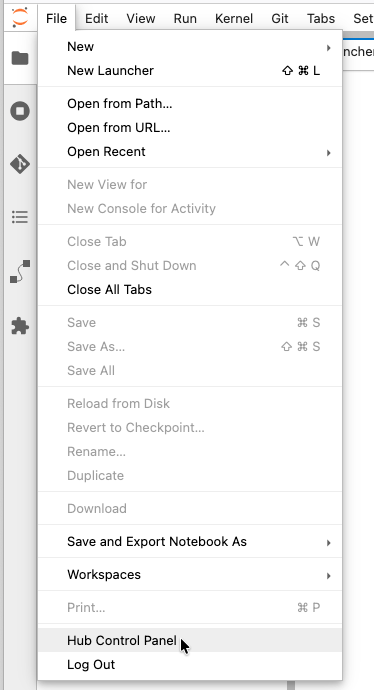
- Then click the button "Stop my Server" in the new window opened by this

- Accessing the "Lab" link in the Collabs menu again then starts a fresh Juypter session