
How to interpret the Nutil Quantifier output
- Images in PNG format
Segmentations superimposed on the atlas maps. Object colours are assigned on the basis of the sheet specified under “Report Regions.” If custom areas and colours are not specified or the object falls outside of the specified areas, the objects are shown in red by default.
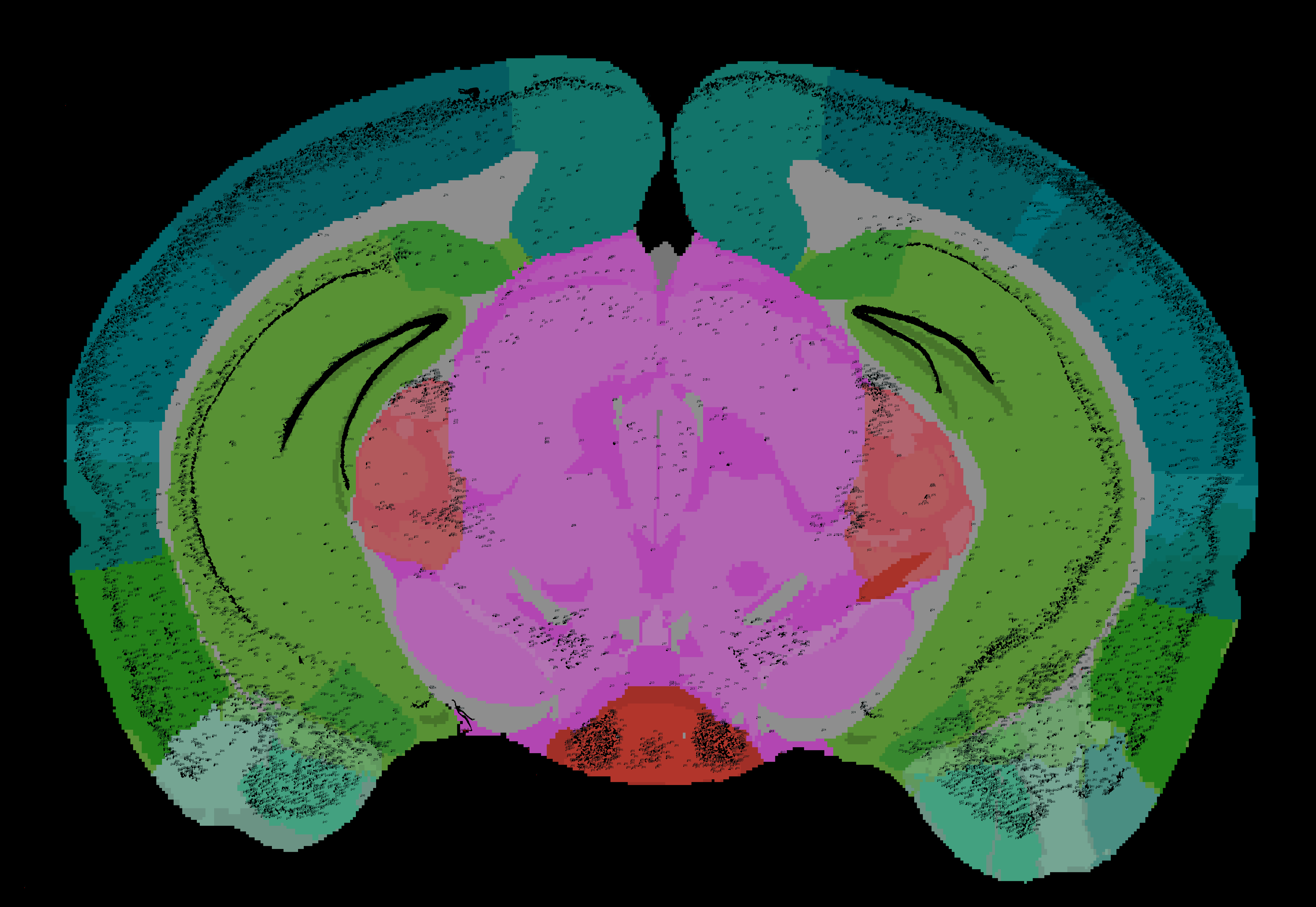
Customised atlas map with individual features representation
- Reports in CSV format
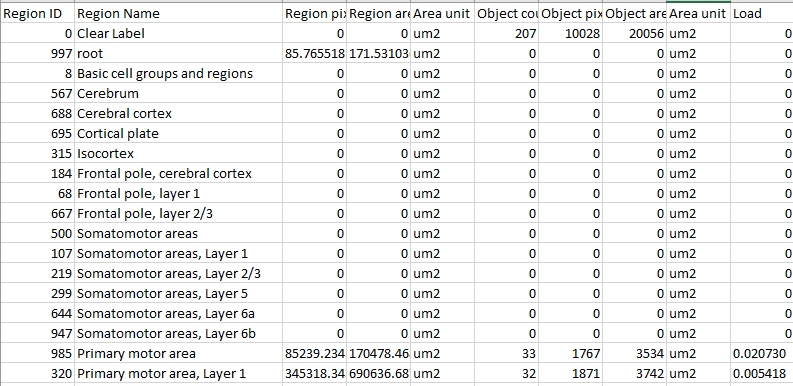
- RefAtlasRegions: report with output organised on the basis of all the regions in the reference atlas.
- CustomRegionsSummary and CustomRegionSections: reports with the output organised on the basis of the custom regions defined in the template for the whole series (Summary) and for each individual section.
- Objects: list of all the objects in the entire series (Whole Brain), with sheets showing breakdown per section.
- Coordinates in JSON format (for the entire series and per section)
- The JSON files contain point cloud coordinates in the selected reference-atlas space that can be visualised with the MeshView atlas viewer.
Visualise the QUINT output
A manual for MeshView can be found here.
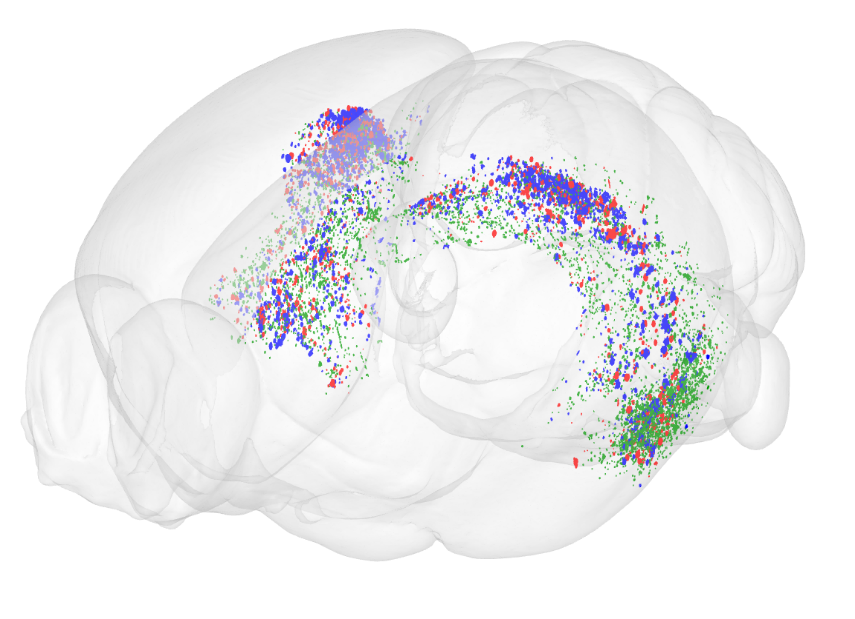
Point clouds visualised with MeshView. Location of human amyloid in blue, mouse amyloid in red, and pyroglutamate modified amyloid in green, in Hippocampal regions of transgenic Tg2573 mouse brain. Yates et al. 2019.